dApp basics · How-to
How to Buy Cryptocurrency on Kraken in 2026
Learn how to set up a Kraken account, complete identity checks, add funds and place a crypto purchase. Payment methods, supported assets and fees depend on your location, so check the details shown in your account before confirming.
By the DappsAtlas editorial team · Updated
What do you need before buying crypto on Kraken?
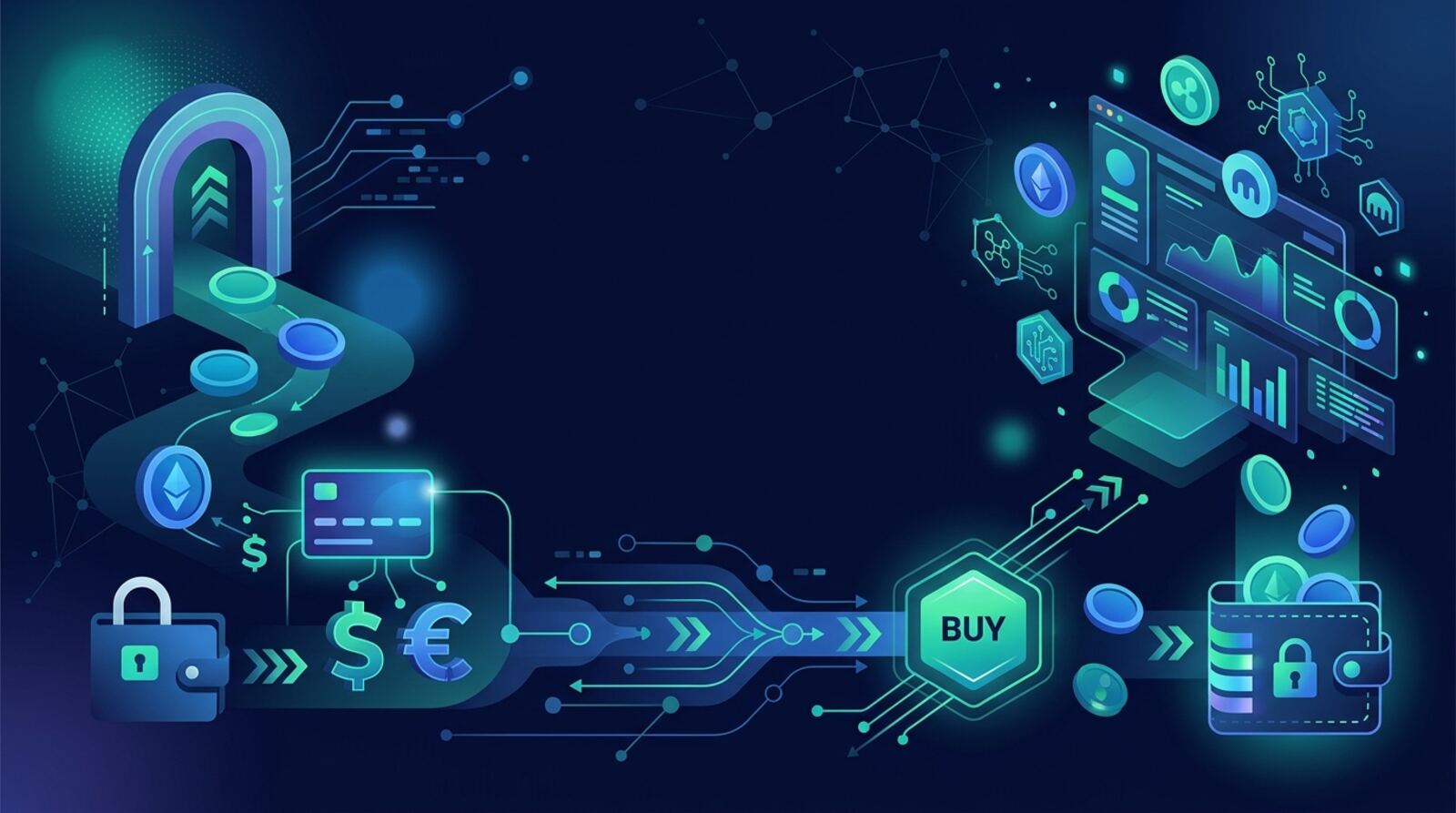
You can buy cryptocurrency on Kraken after creating an account, completing any required identity checks and choosing a supported payment method. The exact assets, funding options and purchase features depend on where you live and what Kraken currently supports for your account. Before starting, check local rules on buying and holding crypto, and remember that digital-asset prices can move sharply. You can lose some or all of the money you spend.
A typical purchase follows this sequence:
- Open a Kraken account using your own details.
- Verify your identity if Kraken asks you to do so.
- Choose how to fund the account, or select an available direct purchase method.
- Select the cryptocurrency and enter an amount.
- Review the price, fees, payment method and final amount before confirming.
Kraken offers both straightforward buy flows and trading tools. The simplest route is usually easier for a first purchase; advanced order types give you more control but also require you to understand how orders work. This guide covers the decisions and checks to make before you place either kind of order. Do not use an account or payment method that belongs to someone else, and never share your sign-in codes with anyone claiming they can buy crypto for you.
How do you create and verify a Kraken account?
Use Kraken’s official app or website and create an account with an email address you control. Choose a unique password that you do not use on other services. If Kraken requests identity verification, follow the prompts in your account and provide accurate information. Verification requirements and the features available before or after verification can vary by location and account status.
Keep your personal details consistent with your identification and payment information. Kraken may ask for documents or additional information to meet legal and account-security requirements. Submit these only through the official Kraken service, not through a message from an unexpected caller, email or social-media account. Kraken support will not need your password or one-time security code.
Before depositing money, check that the account’s available funding options fit your needs. A payment method might not be available in every country, or it may have conditions such as processing times or limits displayed in your account. If the information you provide does not match the account or payment method, a deposit or purchase may be delayed or rejected.
Take a moment to secure the account before funding it. Enable two-factor authentication, preferably with an authenticator app or a security key if supported, and store recovery information somewhere private and secure. Confirm that you can sign in through the official app or website. If you cannot access your account, resolve that first rather than asking an unfamiliar person to handle a purchase for you.
How can you fund a Kraken purchase?
Kraken may let you pay through an available card or other payment service, or you may be able to deposit supported cash into your account and then trade. Which choices appear depends on your location, account and currency. In your account, open the funding or buy flow and check the payment methods Kraken presents. Do not assume that a method available to another user is available to you.
A direct purchase can be convenient, but convenience does not mean it is the lowest-cost option. Compare the total cost shown for each method, including any processing fee, trading fee or price difference. A cash deposit followed by a trade may have a different cost and timing from buying directly. Kraken should show applicable details before you confirm; if the total is unclear, stop and find out what each line means.
If you deposit cash, follow the instructions for the specific currency and method in your account. Use the correct reference information when requested, and make sure the name on the payment account meets Kraken’s requirements. Avoid sending money to details copied from a message or an old transaction. Recheck the current instructions each time, since deposit details and supported methods can change.
Allow for processing time. A payment may not be available to trade immediately, and withdrawal availability can be subject to separate requirements. Check the deposit status in your account instead of sending a second payment because the first one has not appeared yet.
How do you choose a cryptocurrency and purchase amount?
Once you know how you will pay, choose an asset that Kraken supports for your region. Search by its full name or ticker, then verify you have selected the intended asset. Similar names and tickers can cause confusion, and availability is not universal. Kraken maintains a current list of supported cryptocurrencies and networks; consult the asset page in your account before purchasing, especially if you plan to transfer the asset later.
Enter the amount you want to spend or the quantity you want to receive, depending on the interface. Check which currency the amount uses. The estimate may change before the order is submitted because crypto prices move and the final quote can depend on the payment method and execution conditions.
Before proceeding, look over the order summary. Confirm:
- The asset and ticker are correct.
- The amount and funding method are what you intended.
- The quoted price and any fee or spread are acceptable.
- The estimated amount you will receive makes sense after costs.
Do not choose an asset just because it appears near the top of a list or has recently risen in price. A past price move does not predict future performance. If you do not understand what a token does, how volatile it is or whether you can withdraw it on a supported network, pause and research it first. A small test purchase can limit the amount at risk while you learn the process, but it does not remove market risk.
How do you place your first buy order?
For a basic purchase, use Kraken’s buy flow, select the asset, enter an amount and choose an available payment method. Review the quote and order summary, then confirm only if the asset, total cost and expected amount are correct. Save or review the order confirmation in your account so you can check the transaction details later. The labels and layout may differ between the app, website and account regions, but the key checks are the same.
If you are using a trading screen, you may encounter market and limit orders. A market order aims to execute promptly at available prices, but the execution price can differ from the price you saw moments earlier. A limit order lets you set a price condition, but it may not execute at all if the market does not reach that level. Neither order type guarantees a particular result.
Avoid margin or leverage for a first purchase. Borrowed exposure can magnify losses and may lead to liquidation, where positions are closed under the platform’s rules. Buying spot crypto with money you already have is easier to understand, though it still carries substantial price risk.
Do not rush through the confirmation screen or rely on a price displayed elsewhere. If a quote expires, refresh it and review the updated terms. If the screen shows an unexpected currency, payment method, fee or amount, cancel and start again only after you understand the difference.
What fees and costs should you check?
The cost of a Kraken purchase can depend on how you buy, the asset, your payment method and the applicable account terms. You may see a trading fee, a payment-processing charge, a spread between the quoted buy and sell prices, or more than one cost. A simple purchase flow and an advanced trading interface may calculate charges differently. Do not rely on an old fee example or a fee schedule remembered from another region.
Before confirming, read the order preview and identify the amount you will pay, the fees shown and the estimated crypto you will receive. If Kraken shows a quote that includes costs rather than listing each charge separately, compare the total and received amount with other available options in your account. A low headline fee does not necessarily mean the lowest overall cost if the price offered is less favorable.
You can also reduce avoidable mistakes by:
- Choosing an order size that fits your budget rather than chasing a price move.
- Checking whether your bank or payment provider may add its own charge.
- Avoiding repeated small purchases if they create costs you have not considered.
- Keeping records of deposits, trades, fees and withdrawals for tax reporting.
Tax treatment depends on your location and circumstances. Keep transaction records and consult a qualified tax professional if you are unsure how purchases or later sales should be reported. If the fees on the confirmation screen are not clear, do not confirm until you understand them.
Should you keep crypto on Kraken or withdraw it?
For many beginners, the simplest choice is to buy an asset and hold it in the Kraken account. This avoids the additional steps of setting up a wallet and arranging a withdrawal, but it means relying on an exchange to safeguard access to the crypto. An exchange account is not the same as a self-custody wallet: with self-custody, you control the private keys and are responsible for protecting them.
If you want to move crypto to a personal wallet, check that the asset and withdrawal network are supported for both the Kraken account and the destination wallet. Some assets can use more than one network, and sending through an incompatible network can result in lost funds. A matching token name alone is not enough to confirm compatibility.
Before a withdrawal, verify the destination address character by character and confirm the network, asset and any required memo or tag. Use the wallet’s receive instructions and do not rely on an address sent by another person. Where appropriate, consider a small test transfer first, while accounting for any minimums and fees shown in your account. Once a blockchain transaction is confirmed, it may be impossible to reverse.
Self-custody also brings responsibility for recovery phrases and private keys. Never share them, enter them into a site sent by a stranger, or store them in an easily accessed screenshot. If you do not understand wallet backups or network selection yet, keeping the asset in your Kraken account may be the simpler option while you learn.
How can you protect your account and avoid scams?
Use a few basic precautions every time you sign in or fund your account. Access Kraken through its official app or by entering its address yourself; do not follow unexpected links in texts, emails or direct messages. Scammers often imitate exchanges and claim there is an urgent account problem, a guaranteed investment or a need to verify a wallet. Contact support through the service you opened yourself if something seems wrong.
Protect your login with a unique password and two-factor authentication. Never give another person your password, one-time code, recovery phrase or remote access to your device. Be wary of anyone who promises to trade for you, asks you to send crypto to “unlock” a withdrawal, or says they can guarantee a return. Kraken staff or legitimate support should not need your wallet recovery phrase.
Before buying, set a limit for how much you can afford to lose and avoid borrowing money to invest. Crypto can be highly volatile, and even well-known assets can drop sharply. Do not treat a recent price rise, social-media post or an influencer’s claim as evidence that an asset is safe or certain to gain value.
Check that buying and holding crypto is permitted where you live, and consider how local consumer-protection and tax rules apply. If you are under 18, do not use Kraken or another exchange unless you meet its legal age requirements. Never try to bypass identity checks, geographic restrictions or other account controls.
What should you do if a purchase is delayed or goes wrong?
If a payment or purchase does not appear, check the account’s transaction or funding history before taking action. A deposit may still be processing, or the payment provider may need time to settle it. Do not repeat a payment simply because it is not visible yet. Check whether Kraken has posted a status or requested more information, and use official support channels if the delay persists.
If an order appears to have gone through, review your balances and order history. A completed trade, a pending order and an unsuccessful payment are different states. If the asset or amount is not what you intended, note the transaction details and contact Kraken support promptly. A market purchase or completed blockchain transfer may not be reversible, so an error is not always recoverable.
If you cannot sign in, use Kraken’s official account-recovery process. Do not pay a stranger who claims to recover accounts or funds, and do not let anyone connect remotely to your computer or phone. If you suspect someone has accessed your account, secure your email and exchange login, review active sessions and contact Kraken through official channels.
Keep a private record of confirmations and transaction identifiers, but do not post them publicly with personal details. For a withdrawal, a transaction identifier can help you check a transfer’s status on the relevant network, but it does not make an incorrect address or network reversible. When in doubt, pause further transfers until you understand what happened.
What should you do after buying crypto?
A successful purchase means you now hold an asset whose value can rise or fall. Decide in advance whether you intend to hold it, sell it or move it, and do not confuse a displayed account balance with cash you can withdraw immediately. Funding, trading and withdrawal rules are separate, and an asset or deposit may be subject to waiting periods or other conditions shown in the account.
For future purchases, keep a simple record of the date, amount, asset, fees and payment method. This can help you understand your spending and may be useful for tax reporting. Review account notifications and security settings periodically, but avoid making trades just because an app sends a price alert.
If you later sell, check the order summary in the same way as when buying: confirm the asset, amount, execution method, estimated proceeds and costs. Selling crypto does not guarantee you will recover your original spending, particularly after a price decline or fees. If you withdraw proceeds to a bank account, the available methods and processing time depend on your account and location.
You do not need to use advanced products to buy cryptocurrency. Spot purchases are distinct from margin trading, derivatives and yield products, which introduce additional risks. Learn the basic funding, order and custody steps first, and only use other features after understanding how they work and what you could lose.
Frequently asked questions
Can I buy crypto on Kraken with a debit or credit card?
Kraken’s supported payment methods and purchase features depend on your country, account status and currency. Check the options shown in your account before starting a purchase.
Which cryptocurrencies can I buy on Kraken?
Kraken’s supported cryptocurrencies and networks can vary by region and may change. Check the asset’s current availability and, if you plan to withdraw it, confirm the supported network before buying.
Does Kraken charge a fee to buy crypto?
Not necessarily. Kraken may show a trading fee, payment processing charge, spread or other cost, depending on how you buy and which payment method you use. Review the full order summary before confirming.
Do I need a crypto wallet to buy on Kraken?
You can generally keep eligible crypto in your Kraken account, but exchange custody means Kraken controls the private keys. If you move assets to a personal wallet, check the address, network and withdrawal requirements carefully.
Is buying cryptocurrency on Kraken safe?
Buying crypto is not risk-free: prices can fall sharply, and you could lose some or all of the amount you invest. Only use money you can afford to lose, and check local rules before trading.
Mentioned in this guide
dApps in this guide
OKX is a major centralized crypto exchange for spot and derivatives trading, earn products and a Web3 wallet, with its own OKB token.
Crypto.com is a centralized crypto exchange and app for buying, trading and spending 400+ coins, with a Visa card, staking and a separate self-custody wallet.
Bitvavo is an Amsterdam-based, MiCA-authorized crypto exchange offering 400+ assets, euro deposits, staking and leverage trading for European users.
Save, formerly Solend, is a Solana lending and borrowing protocol where users earn interest on deposits or borrow against collateral.
Keep reading
Related guides
dApp basics · How-to
Where to Buy Cryptocurrency: A 2026 Guide
You can buy cryptocurrency through a centralized exchange, a brokerage app, or a decentralized exchange. The right route depends on what you want to buy, how you plan to pay, and whether you want to hold the crypto yourself.
Token · How-to
How to Buy Cryptocurrency: A Step-by-Step Guide
Buying cryptocurrency involves choosing a suitable provider, completing any required identity checks, funding an account, and placing an order. This guide explains the process, the costs to compare, and how to protect your crypto afterward.
dApp basics · Best list
Best Apps for Buying Cryptocurrency in 2026
The right app depends on where you live, how you plan to pay and whether you want a simple broker or a crypto-focused exchange. Compare four options, understand their custody and costs, and follow a safer first-purchase checklist.
dApp basics · Best list
Best Websites to Trade Cryptocurrency in 2026
The right crypto trading website depends on where you live, what you want to trade and whether you want a company or your own wallet to hold the assets. Compare centralized exchanges and decentralized apps by access, fees, custody and risk before you choose.
dApp basics · How-to
How to Develop on a Blockchain in 2026
Learn how to plan, build, test, and launch a blockchain application. This guide explains how to choose a network and development tools, write smart contracts, connect a user interface, and reduce security risks.
dApp basics · How-to
How to Apply for a DeFi Developer Grant: Eligibility and Steps
DeFi projects often fund builders through grants, bounties and hackathons. This guide explains how to check an offer, prepare a proposal and avoid common mistakes, even when the full terms of a specific program are not yet public.
dApp basics · Explainer
How to Discover Trending Web3 Smart Contracts in 2026
Trending-contract feeds show which smart contracts see the most activity right now. This guide explains where that data comes from, what activity numbers do and do not prove, and how to check a contract before you interact with it.
dApp basics · Explainer
How Stripe Uses Crypto in 2026
Stripe uses crypto mainly as payment and financial infrastructure: businesses can accept supported digital assets, move value through stablecoins, and let customers buy crypto through an onramp. The exact options depend on the product, country, and checkout setup.