Wallets and tools · Explainer
What Is a Multi-Chain Crypto Wallet?
A multi-chain crypto wallet lets you manage assets and use apps on more than one blockchain through one wallet interface. Learn how it works, what it does not do, and how to choose and use one safely.
By the DappsAtlas editorial team · Updated
What is a multi-chain crypto wallet?
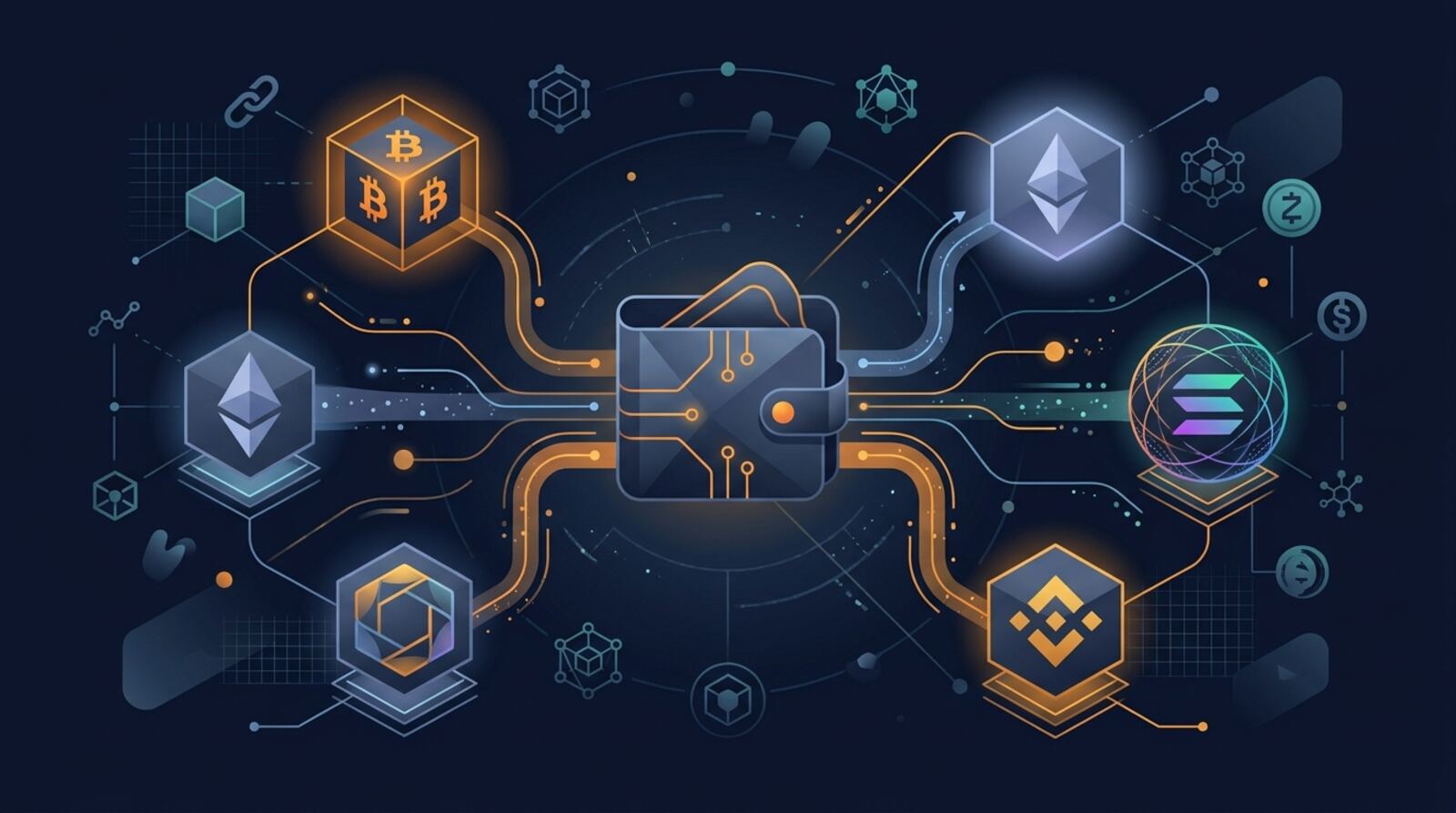
A multi-chain crypto wallet is an app or device that lets you manage accounts and interact with assets on more than one blockchain. From one interface, you might view a balance on Ethereum, switch to another supported network, and connect to an app built for that chain.
The wallet does not usually store coins inside the app. Crypto assets and transaction records live on their respective blockchains. The wallet stores or accesses the keys that let you authorize transactions, then displays blockchain information in a usable form. In a self-custody wallet, you control those keys; in a custodial service, a provider controls them on your behalf.
“Multi-chain” describes the wallet’s network support, not a guarantee that every asset can move freely between networks. A wallet may support Ethereum and a particular Layer 2, for example, but not every token, network feature, or decentralized app on either one. Always check the exact chain and asset before receiving or sending funds.
The term can cover mobile apps, browser extensions, hardware wallets, and wallets built into exchange apps. Their security models and capabilities differ, so the label alone does not tell you how your keys are protected or which transactions you can make.
How is multi-chain different from cross-chain?
A single-chain wallet is designed for one blockchain or ecosystem. A multi-chain wallet adds support for accounts on several networks, often letting you switch networks or view multiple balances without installing a separate wallet for each one. The wallet may use one recovery phrase to derive accounts on several supported networks, or it may manage distinct accounts and keys.
A multi-chain wallet is also not necessarily a cross-chain wallet. “Multi-chain” means it can work with multiple chains. “Cross-chain” usually refers to an action that carries assets or messages from one chain to another. That action needs infrastructure such as a bridge, a swap route, or a protocol that coordinates transfers. Merely selecting a different network in a wallet does not move an asset there.
These terms are sometimes used loosely in product descriptions, so look at the actual features. Does the wallet only let you switch networks and sign transactions, or does it also offer an integrated bridge or cross-chain swap? If it offers routing, find out which third-party services handle the transfer and whether the wallet is simply presenting their transactions.
A wallet such as OKX Wallet is described as supporting multiple chains and offering swaps, bridges, and decentralized-app access. Those features are separate from the basic ability to manage accounts across networks.
How does a multi-chain wallet work?
A wallet connects to blockchains through software interfaces and uses your keys to sign actions. When you open a supported network, it can request balances, display tokens, prepare a transaction, and send your signed transaction to the network. You review the action and authorize it with the wallet’s security method, such as a password, device confirmation, or hardware-wallet approval.
Networks have different rules and data formats. Some chains use compatible account systems, while others require different address formats, transaction types, and signing methods. A wallet needs the right network integration to interpret an address and construct a valid transaction. Support for one blockchain does not automatically mean support for another, even if both display similar-looking addresses.
Some wallets let you connect to decentralized apps across multiple networks. The app may ask you to connect an account, switch networks, or approve a token allowance. A connection alone generally does not give the app permission to transfer funds, but signing a transaction or approval can. Read what the wallet is asking you to approve, especially when an action grants ongoing access to a token.
Wallet interfaces can also aggregate portfolio balances, show tokens, or offer transaction routes. These conveniences depend on network connections and third-party services. A displayed balance is not the same as a guarantee that the wallet can transfer, swap, or recover that asset.
Which blockchains and assets can it support?
There is no universal list of assets that every multi-chain wallet supports. A wallet may cover major networks such as Ethereum, Bitcoin, Solana, or selected Layer 2 networks, but each product’s coverage differs. Even when a blockchain is supported, the wallet may not recognize every token, NFT, staking feature, or decentralized app on it.
Address formats matter. Some networks use compatible address systems, so the same account may have a similar or identical address across several networks. That does not make those networks interchangeable: a balance on one chain remains on that chain. Other ecosystems use different address formats, and an address copied from one network may not be valid on another.
Before receiving funds, verify the network in the wallet and compare the full destination address. Check whether the wallet supports the exact token contract or asset type, not just the chain name. When possible, make a small test transfer first. Avoid relying only on a token’s ticker or logo, since unrelated assets can share names and symbols.
If an asset does not appear, it may be because the wallet has not added its display information; that does not necessarily mean the funds are gone. But do not try random networks or contracts to make it appear. Use the wallet’s official asset-management process or seek support through its verified channels.
What can you do with one?
A multi-chain wallet can make routine tasks easier by bringing accounts and network switching into one interface. You may use it to receive tokens, send funds, connect to decentralized apps, manage NFTs, or sign transactions on different chains. Some wallets also include token swaps, bridge routes, staking access, or portfolio views, though those additions are not part of the definition.
The distinction between a wallet and a service inside it is important. If a wallet offers a swap, the exchange may be executed by a decentralized exchange or another provider. If it offers a bridge, a separate protocol or route provider may move the assets. The wallet can help you find and authorize the transaction, but it does not remove the provider’s risks or guarantee a successful outcome.
For example, a wallet may let you select a source chain and destination chain and then present a route. Check the route’s expected output, fees, estimated time, and any minimums before approving. A transfer can involve several transactions, and some routes require you to claim funds or complete a second step.
Treat each capability as a separate feature to evaluate. If you only need to hold and send assets, a simple wallet may be enough. If you plan to use apps or cross-chain services, confirm that the wallet supports those networks and that you understand the transactions it asks you to sign.
What fees and network details should you check?
Network fees are paid according to the blockchain and the transaction, not simply according to which wallet you use. Sending a token often requires the network’s native coin for gas. For example, an account holding a token may still be unable to transfer it if it has no fee-paying asset on that network. A transaction on another chain may require a different native coin.
A wallet may estimate fees, offer a speed setting, or present a fee alternative, but the final cost can change with network demand and transaction complexity. Smart-contract actions such as swaps and approvals can cost more than a simple transfer. Cross-chain routes can add a bridge fee, a swap fee, and fees on one or both networks. Review the full quote rather than looking only at a wallet’s displayed service charge.
Confirm the network shown in the wallet before you submit. Sending an asset to the wrong network or address can make it difficult or impossible to recover. Pay special attention when a service asks you to bridge funds: the source asset, destination asset, and destination network should all match your intention.
If a transaction is pending, do not immediately repeat it with a larger amount. Check its status using the wallet’s transaction details and the relevant chain’s public explorer. Wallets can show different fee estimates or confirmation states, so rely on the correct network’s transaction record when troubleshooting.
What security risks should you understand?
A multi-chain wallet does not eliminate the risks of self-custody. Anyone who obtains your recovery phrase or private keys may be able to control the accounts derived from them. Store recovery information offline in a secure place, never share it with support staff or a website, and be cautious of prompts to enter it. A legitimate app connection should not require you to reveal your recovery phrase.
Scams can imitate wallets, token claims, bridge pages, and support accounts. Install wallet software through verified channels, check the app publisher, and treat unsolicited messages as suspicious. Before signing, read the transaction details: an approval can grant a contract permission to spend tokens, while a signature may authorize an action that is not obvious from a short prompt. If the request is unclear, cancel it and investigate.
Using one wallet for every purpose can increase the impact of a mistake or compromised app. Consider separating long-term holdings from funds used to explore unfamiliar apps. A hardware wallet can keep signing keys away from a general-purpose device, but it cannot make a malicious transaction safe if you approve it.
Keep software updated and test recovery procedures carefully. Never store more on a hot wallet than you are prepared to manage with that device and security setup. For valuable holdings, understand how backups, passphrases, and account recovery work before you depend on them.
How do you choose a multi-chain wallet?
Choose a wallet based on the networks and tasks you actually need, not the length of its supported-chain list. Confirm support for the precise chain, token standard, and apps you plan to use. If you need self-custody, make sure you control the recovery phrase or private keys and understand how to back them up. If convenience matters more and you are considering a custodial wallet, understand that the provider controls access and may impose account requirements.
Compare how the wallet handles security: hardware-wallet compatibility, transaction previews, recovery options, device support, and account separation can matter more than extra features. Consider whether its mobile or browser interface is appropriate for your routine and whether it makes the active network easy to verify. Review how integrated swaps or bridges work, including the providers involved and the costs shown before confirmation.
For example, OKX Wallet is a self-custody, multi-chain option with swaps, bridges, decentralized-app access, and trading tools. Talisman is a non-custodial browser wallet with support described for Polkadot, Kusama, Ethereum, Solana, and Bittensor. Those examples illustrate different ecosystem coverage; they are not substitutes for checking current support and fit for your own use.
Before moving a large balance, install the wallet from a verified source, make a small test transaction, and confirm that you can restore access. Never choose solely on the basis of a broad “multi-chain” claim.
How do you set one up and use it safely?
Start by verifying the wallet’s custody model and installing it from its official distribution channel. For self-custody, create or import an account only through the wallet’s intended process, then write down the recovery phrase offline if one is provided. Do not photograph or send the phrase to cloud storage or another person. If importing an existing wallet, verify that the app supports the relevant account standard and that you understand what information is being imported.
Next, enable only the networks you need. Check the chain name and network identifier carefully; similarly named networks or tokens can be misleading. To receive funds, copy the address for the intended network and confirm it against the wallet screen. A small test deposit is a sensible first step, particularly when using a new chain or address.
For an outgoing transaction, check the recipient, network, asset, amount, and fee asset before signing. For a swap or bridge, review the route, expected result, provider, and any extra steps. Do not approve a transaction you cannot explain. Keep a separate record of recovery details needed beyond the phrase, such as an optional passphrase or account setup information.
Finally, learn how the wallet’s recovery process works before you need it. A phrase may recover accounts only when used with compatible software and the right settings. Test with a low-risk account or small balance, and keep long-term funds separate from experimental activity.
Frequently asked questions
Does a multi-chain wallet automatically move crypto between blockchains?
No. A wallet can support multiple blockchains without moving assets between them. To transfer value from one chain to another, you need a bridge, a swap route, or another cross-chain service, each with its own risks and fees.
Is a multi-chain wallet always self-custody?
It can, if it is a self-custody wallet and you control the recovery phrase or private keys. A custodial wallet is different: the provider controls the keys and manages access for you. Check the wallet’s custody model before depositing funds.
Can every multi-chain wallet hold every cryptocurrency?
Not necessarily. A wallet may show a token balance on a network without supporting the token’s contract or the features you need. Check that the wallet supports the exact blockchain, token standard, and action before sending funds.
Do I need a different coin to pay gas on each network?
Usually, you need the network’s native coin to pay transaction fees, even when sending a different token. Some wallets or services offer fee alternatives, but availability depends on the chain and transaction. Confirm the fee asset before you submit.
Can I recover all my chain accounts with one recovery phrase?
A single recovery phrase may restore accounts on several supported networks, but that depends on the wallet’s key standards and setup. Record any extra passphrase or account details, and test recovery with a small amount before relying on it.
Mentioned in this guide
dApps in this guide
OKX Wallet is a self-custody multi-chain crypto wallet from the OKX exchange, with swaps, bridges, DApp access and trading tools for active onchain users.
Talisman is a non-custodial browser wallet for Polkadot, Kusama and Ethereum users, with Solana and Bittensor support also described.
Across is an intent-based cross-chain bridge and swap protocol for moving tokens between Ethereum, rollups and other chains, with an API for apps.
Bungee is a Socket-powered bridge aggregator that compares routes across bridges and DEXs so users can move tokens between blockchains.
Bittensor is a blockchain network where subnets produce AI-related digital commodities and contributors are paid in its TAO token.
Crypto.com is a centralized crypto exchange and app for buying, trading and spending 400+ coins, with a Visa card, staking and a separate self-custody wallet.
Keep reading
Related guides
Wallets and tools · Review
All-in-One Wallet for Web3 Gaming: Review and Buyer Guide 2026
No single wallet suits every web3 game. This guide explains what an all-in-one gaming wallet needs to do, how the main wallet types compare, and how to choose and secure one before you connect it to a game.
Wallets and tools · Review
MetaMask Swap Review: How In-Wallet Token Swaps Work in 2026
MetaMask Swap is the token exchange built into the MetaMask wallet, and its main appeal is that you can trade without leaving the wallet. This guide covers how it works, what it costs in practice, and the risks that matter more than the convenience.
Wallets and tools · Best list
Best Crypto Apps in 2026: Picks by Use Case
The right crypto app depends on whether you want to buy and hold, manage your own keys, compare DeFi data or move tokens across chains. These picks cover different jobs, with practical checks for fees, safety and regional availability.
Wallets and tools · Best list
Best Cryptocurrency Apps for Buying, Wallets and Research
The best cryptocurrency app depends on whether you want to buy crypto, hold it yourself, move tokens between chains or research markets. Compare these picks by purpose, custody, fees, availability and safety before choosing.
Wallets and tools · Explainer
What Is a Multisignature Wallet? How Multisig Works
A multisignature wallet requires approval from more than one key before it can move crypto. Learn how thresholds work, how multisigs differ across blockchains, and what to check before you rely on one.
Wallets and tools · Explainer
What Is a Hot Crypto Wallet? How It Works
A hot crypto wallet is software used to access crypto while connected to the internet. Learn how it works, how it differs from a cold wallet, and how to reduce common risks.
Wallets and tools · Explainer
What Is a Private Crypto Wallet? Control, Privacy, and Safety
A private crypto wallet can mean a wallet you control yourself or one designed to improve transaction privacy. Those are different things: self-custody protects control of your keys, but it does not make blockchain activity invisible.
Wallets and tools · Explainer
What Is a DeFi Wallet? How It Works and What to Know
A DeFi wallet lets you control crypto assets and connect to decentralized finance apps using your wallet keys. Learn how wallets work, what they can do, and how to use one more safely.