Wallets and tools · How-to
How to Transfer Crypto From PayPal to a Wallet or Exchange
PayPal lets eligible users send supported crypto to wallets and exchanges they control. This guide covers the checks to make first, the step-by-step send, the fees and limits to expect, and the mistakes that cost people funds.
By the DappsAtlas editorial team · Updated
What PayPal's crypto transfer feature actually does
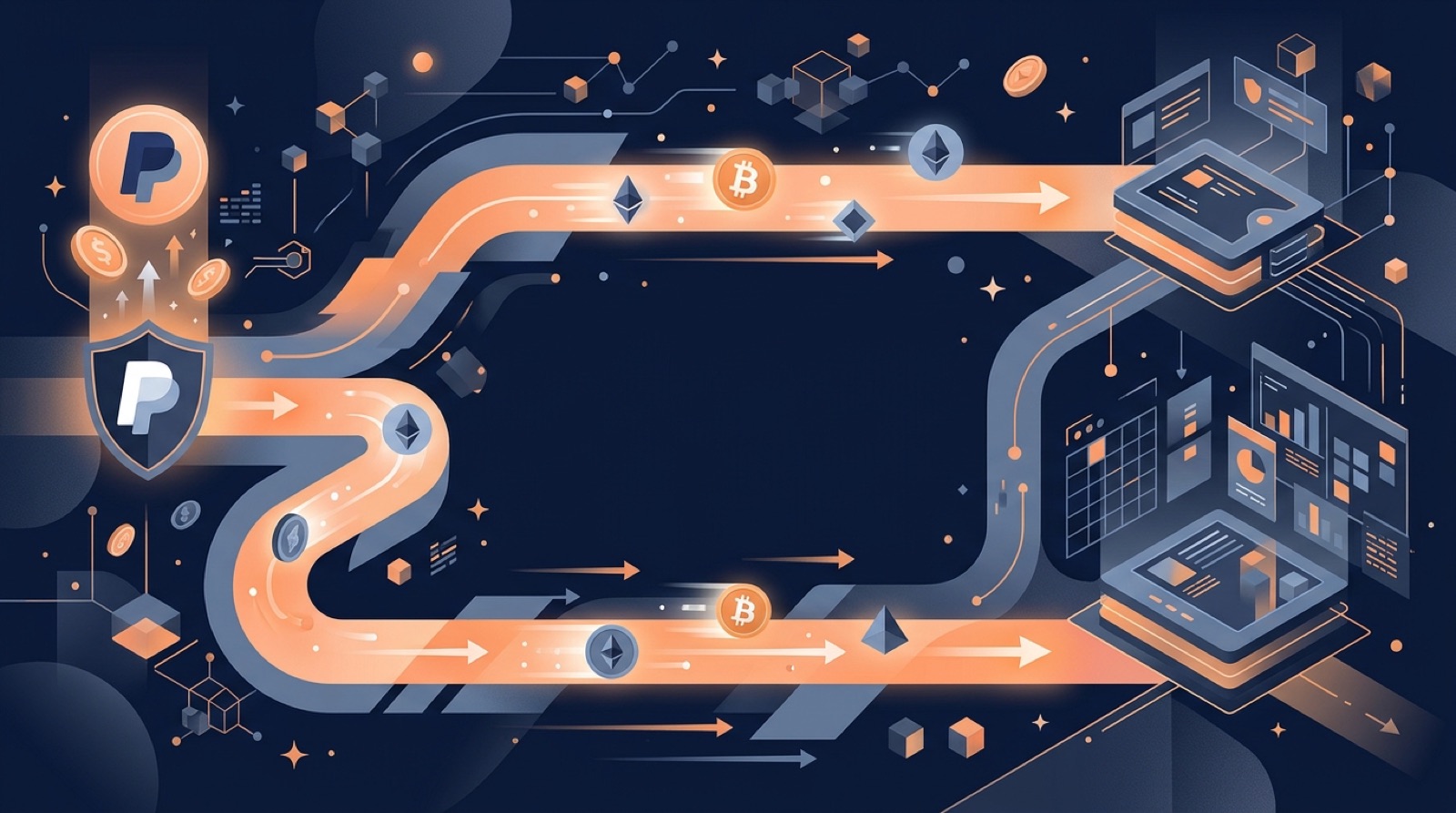
PayPal added crypto buying and selling for eligible US customers in 2020 and 2021. Later, it added the ability to send supported coins to outside addresses, meaning wallets and exchanges you control, and to receive from them. Before that, crypto bought in PayPal stayed inside PayPal.
It helps to be clear about what the feature is:
- A custodial account. Crypto held in PayPal sits in PayPal's custody. You do not hold the private keys, so you cannot connect that balance to a DeFi app directly.
- A withdrawal. A transfer sends the asset from PayPal to a blockchain address you provide. After confirmation, the funds are on-chain and under the control of whoever holds that address's keys.
- A limited menu. PayPal supports a short, changing list of assets, not the whole market. The list differs by country and sometimes by US state.
What it is not: a bridge, a swap venue for every token, or a way to reverse a mistake. PayPal only moves the asset it holds on the network it supports.
This matters because most failed transfers come from a mismatch. The coin, the network or the address type at the destination does not match what PayPal sends. Everything below is built around avoiding that mismatch.
Availability, supported coins, limits and fees change often. Treat the Crypto section of the PayPal app and PayPal's help pages as the source of truth, and treat anything in a guide, including this one, as a checklist rather than a current rate card.
What should I check before sending crypto out of PayPal?
Spend five minutes on these checks before you touch the send button.
Account eligibility
- Crypto features are only offered in certain regions and to verified accounts. If you do not see a Crypto tab or a Transfer option, you may not be eligible yet.
- You may need to complete identity checks and accept crypto-specific terms. Complete them with your real details. Do not try to work around age, location or identity checks.
- Some actions can be paused or limited on newer accounts or after security changes such as a password reset.
Security setup
- Turn on two-factor authentication for PayPal and for the email account tied to it.
- Use a strong, unique password and keep the app up to date.
Destination readiness
- Decide whether the target is a self-custody wallet or an exchange account. Each has different pitfalls.
- Make sure the destination account is fully set up. Exchange accounts often need verification before deposits are credited or withdrawals are allowed.
- Confirm the destination supports the exact coin you plan to send, on the network PayPal will use.
Documents to keep
- Note the amount, the date and the destination address. You will want this later for tax reporting and for any support request.
If any of these checks fail, stop and fix it first. A transfer that you cannot undo is a poor place to find out the exchange does not list the coin.
How do I transfer crypto from PayPal to an external wallet?
The exact screens change, but the flow is consistent across versions of the app.
- Open your crypto balance. In the PayPal app or website, go to the Crypto section and select the coin you want to send.
- Choose the transfer or send option. Look for Send, Transfer or a similar button. If you do not see it, the coin or your account may not be eligible.
- Get the receiving address. In your wallet app, open Receive for the same coin and copy the address. Use copy and paste, never typing by hand. Many wallets show a QR code you can scan.
- Paste the address in PayPal. Compare the first and last several characters with the wallet screen. Do not trust the middle section to be correct just because the start matches.
- Enter the amount. For the first transfer, send a small test amount.
- Review the summary. Check the asset, the network if shown, the destination address, the amount and the fee. If PayPal shows a warning, read it.
- Confirm with your security step. You may be asked for a code or a biometric check.
- Wait for confirmation. The transfer can show as pending while PayPal processes it, then broadcast to the network. Blockchain confirmations come after that.
After the test arrives, repeat the process for the rest of the balance. The small extra fee for a test send is cheap insurance compared with losing the full amount to a typo or a wrong network.
How do I send PayPal crypto to an exchange?
Exchanges add a few steps because the exchange assigns you a deposit address, and it expects deposits on specific networks.
- Log in and find the deposit page. Select the exact coin. Exchanges often list several networks for one coin, so pick the network deliberately.
- Check the network against what PayPal supports. If PayPal sends on a network the exchange does not list for that coin, do not proceed. Pick another coin or another destination.
- Copy the address and any tag. Some assets need a memo or destination tag. If the exchange shows one and you leave it out, the deposit may not be credited automatically.
- Read the minimum deposit and warnings. Below-minimum deposits may not be credited at all.
- Send a test amount from PayPal, then confirm it arrives in your exchange balance before sending more.
Exchange-specific risks
- Deposit addresses can differ per coin and per account. Reusing an old address from another coin is a common mistake.
- Some exchanges restrict deposits from certain services or require the sender to be in your name. Read their deposit policy.
- Exchanges may hold new deposits before allowing withdrawals or trading in some cases.
If a deposit does not appear after the network confirms it, collect the transaction ID, the amount, the date and the destination address, and contact the exchange's support. Do that before contacting PayPal, because the exchange controls crediting on its side.
Which coin and network should I choose?
A single coin can exist on several blockchains. The ticker alone does not tell you where the funds will land, so confirm both the asset and the network.
Native coins. Bitcoin, Ether, Litecoin and Bitcoin Cash each have their own native network. For these, the address format usually reveals a mismatch. A Bitcoin address does not look like an Ethereum address, and good wallets reject the wrong format.
Tokens and stablecoins. PayPal USD, known as PYUSD, is a US dollar stablecoin issued by Paxos. It has been available on Ethereum and on Solana, and it may be offered on additional networks over time. Tokens like this are where network errors are most likely. An Ethereum-style address can look the same on several networks, so a wallet will not warn you if you pick the wrong one.
Rules to follow
- Match the asset, the network and the address type at the destination with what PayPal sends.
- If the destination wallet supports the network, it will show a receive address for it. If the wallet cannot find that token, add it by its official contract address from the issuer's documentation, not from a search result or message.
- Do not send from PayPal to a smart-contract address, a bridge deposit address or a DeFi protocol address unless the protocol explicitly says that is supported.
If you later need the asset on a different chain, move it from your own wallet using a bridge after the transfer lands. Do not try to route it through the PayPal transfer itself.
What fees, limits and delays should I expect?
Costs come from several places, and each can change.
- PayPal fees. PayPal may charge a transfer fee, a network fee passed through to you, or spreads on buying and selling. The confirmation screen should show what applies before you commit.
- Network fees. The blockchain charges to process transactions. These rise and fall with congestion, so the same transfer can cost different amounts on different days.
- Destination fees. Receiving is typically free, but moving funds on afterwards, whether withdrawing from an exchange or bridging, has its own costs.
Limits. PayPal may set daily, weekly or per-transaction limits on crypto transfers, and these can vary by account standing and region. Limits can also be reduced on newly verified accounts. Check the limits shown in the app. Do not rely on a figure quoted on a third-party page.
Timing. There are two stages. First, PayPal processes the request, which can take anywhere from minutes to longer if a review is needed. Second, the blockchain confirms the transaction. Bitcoin confirmations are slower than most newer networks. Exchanges also require a set number of confirmations before they credit a deposit.
Small balances. If your balance is tiny, fees can consume a large share of it. Consider whether it is worth sending, or whether to leave it where it is until the balance is larger.
Because all of these shift over time, make a habit of reading the final confirmation screen. It shows the actual cost for that transfer at that moment.
How do I confirm the transfer arrived?
Every blockchain transaction has a public ID, called a hash or TXID. Once PayPal broadcasts your transfer, the ID can be looked up on a block explorer for that network, such as Etherscan for Ethereum, Solscan for Solana or a Bitcoin explorer for Bitcoin. If PayPal shows the hash in the transaction details, copy it.
What to look for in the explorer
- Status. Pending, success or failed. A successful status means the network has accepted it.
- Recipient address. It should match the address you copied from your wallet or exchange, character for character.
- Amount and token. Confirm the correct asset moved, not a different token with a similar name.
- Confirmations. Exchanges often wait for a number of confirmations before crediting.
If the transfer is stuck or missing
- Check PayPal's transaction history first. It may still be processing or under review.
- If PayPal shows a completed transfer, look up the hash on the explorer.
- If the explorer shows success but your wallet shows nothing, the wallet may be on a different network or missing a token entry. Add the token using the issuer's official contract details.
- If an exchange does not credit a confirmed deposit, contact the exchange's support with the hash, amount and address.
The test-send habit pays off here. A small test is enough to confirm the address, the network and the crediting behavior before you commit the whole balance.
What are the most common mistakes and scams?
Most losses in crypto transfers come from user error or social engineering, not from the network itself.
Common mistakes
- Wrong network. Sending a token on a network the destination does not support. Funds may be unrecoverable or may need exchange support to recover.
- Missing memo or tag. Exchanges that require one may not credit the deposit automatically.
- Typed or truncated addresses. One wrong character sends funds to a different owner or to nobody.
- Reusing old addresses. An exchange or wallet may have changed addresses. Always copy a fresh one.
Scams to watch for
- Address poisoning. Attackers send tiny transactions from an address that looks like one you used, hoping you copy it from your history. Never copy an address from your transaction history. Copy it from the wallet's receive screen.
- Fake support. Anyone who messages you offering to help with a PayPal or exchange issue and asks for a seed phrase, a code or remote access is a scammer. Real support never needs your seed phrase.
- Pressure and urgency. Messages claiming your PayPal crypto must be moved to a new wallet immediately are a classic scam. Do not move funds because someone told you to.
- Fake wallets and sites. Download wallet apps only from the official store listing or the publisher's own site, and bookmark the exchange's address.
Defensive habits
- Test with a small amount first.
- Use a hardware wallet for larger balances.
- Write your seed phrase offline and never type it into a website.
What can I do with the crypto after it arrives?
Once crypto sits in your own wallet, you control where it goes next. PayPal's transfer does not bridge between chains, so any chain change happens afterwards, in your wallet, at your own risk.
Bridging. If you hold a stablecoin on one network and need it on another, a bridge or cross-chain protocol can move it. Options include canonical bridges run by a layer-2 network, such as Arbitrum Bridge, Optimism Bridge and Base Bridge, which move assets between Ethereum and that layer 2. Cross-chain protocols such as Across, deBridge and LayerZero V2 cover more routes. Tether's USDT0 handles USDT across many chains.
Before using any bridge
- Confirm the token and both networks are supported.
- Start with a small amount, since bridges add smart-contract risk on top of the transfer itself.
- Check the bridge's audits and incident history on its own documentation and on independent security trackers.
- Keep some of the destination chain's gas token to pay for transactions after arrival.
Buying with PayPal instead. Peer, also known as ZKP2P, is a separate non-custodial peer-to-peer ramp on Base that verifies PayPal payments with zero-knowledge proofs. It is a different route: it lets you buy crypto with a fiat payment rather than withdrawing crypto held at PayPal. It has its own limits, counterparty rules and risks, so read its documentation first.
Nothing here is financial advice. Keep amounts you can afford to lose in experimental routes.
What about taxes, records and getting help?
Moving your own crypto between your own accounts is, in many jurisdictions, not a taxable sale. But other steps around it can be, such as buying, selling or converting a coin before the transfer, or swapping and bridging afterwards. Tax rules differ by country and change over time, so ask a qualified adviser rather than relying on a general guide.
Records worth keeping
- The date and time of each transfer.
- The coin, the amount and the fee.
- The sending and receiving addresses.
- The transaction hash.
- The original purchase date and price, which sets your cost basis.
PayPal's activity history and statements help, and exchanges usually provide export files. Crypto tax software can read exchange files and wallet addresses and build a record from them.
When to contact support
- PayPal support: the transfer shows as failed, stays pending for an unusually long time, or the Transfer option is missing or disabled on your account.
- Exchange or wallet support: the transaction is confirmed on the explorer but not credited.
Give support the hash, the amount, the date and the destination address. Never share your seed phrase, passwords or one-time codes with anyone, including anyone claiming to be support.
Finally, treat this guide as a checklist. PayPal's supported coins, regions, limits and fees change, so verify the current details in the PayPal app and on its help pages before each transfer.
Frequently asked questions
Can I send crypto from PayPal to another wallet or exchange?
Often yes, but it depends on where you live, your account verification and which coin you hold. PayPal has offered external transfers to eligible users in supported regions, mainly the US. Availability and the list of supported coins change, so check the Crypto section of your PayPal app or its help pages.
Can a PayPal crypto transfer be reversed or cancelled?
Usually not. Crypto transfers are final once confirmed on the blockchain, and PayPal cannot pull funds back from an address it does not control. If you sent to the wrong address or network, contact the receiving exchange's support quickly, because an exchange may be able to help. Funds sent to a personal wallet on the wrong address are normally gone.
Why does the exchange not show my deposit?
Not every exchange accepts every asset on every network, and PayPal can only send on the networks it supports. If the exchange deposit page does not list the same coin and network, do not send. Check the exchange's deposit screen first, and if a mismatch exists, choose a different coin or destination.
Does PayPal charge to transfer crypto out?
Yes. PayPal charges its own fees, which may include a network or transfer fee shown before you confirm, and the blockchain itself has costs. Fees vary by asset and over time, so read the confirmation screen rather than relying on a fixed figure. A sell or a conversion before the transfer may carry spreads or fees too.
Is sending crypto from PayPal to my own wallet taxable?
A transfer of crypto between your own accounts is generally not a taxable sale in many jurisdictions, but buying, selling or converting before or after it can be. Rules differ by country, so keep records of dates, amounts and addresses and ask a qualified tax adviser for your situation.
Is Peer the same as PayPal's crypto transfer feature?
No. Peer is a separate non-custodial peer-to-peer service on Base that verifies PayPal payments with zero-knowledge proofs so you can buy crypto with fiat. It is a different route from moving crypto already held in PayPal, and it has its own terms and risks, so read them before using it.
Mentioned in this guide
dApps in this guide
Peer (ZKP2P) is a non-custodial peer-to-peer crypto on and off ramp on Base that verifies Venmo, PayPal and Revolut payments with zero-knowledge proofs.
USDT0 is Tether's omnichain system that puts USDT and tokenized gold (XAUT0) on 25+ blockchains, for users and protocols needing unified stablecoin liquidity.
LayerZero V2 is a cross-chain messaging protocol and bridge infrastructure for developers and asset issuers, connecting dozens of blockchains.
Across is an intent-based cross-chain bridge and swap protocol for moving tokens between Ethereum, rollups and other chains, with an API for apps.
Base Bridge is the canonical bridge for moving supported assets and data between Ethereum and Coinbase's Base layer-2 chain, with about $3B in TVL.
Arbitrum Bridge is the canonical bridge that moves ETH and ERC-20 tokens between Ethereum mainnet and the Arbitrum Layer-2 rollup.
Optimism Bridge is the canonical bridge between Ethereum and OP Mainnet, used to move assets to the Optimism layer 2.
deBridge is a cross-chain protocol for swapping and transferring tokens and data between blockchains, aimed at users who move assets across networks.
Common is a non-custodial ZK privacy dapp on Arbitrum and Aleph Zero EVM that lets users shield funds and withdraw to a new, unlinkable wallet.
Keep reading
Related guides
Wallets and tools · Best list
Best Ethereum Wallet in 2026: Software, Hardware and Layer-2 Options
Most searches for the best Ethereum wallet are really asking which option is safe and easy to use today. This guide compares the main wallet types and names, then explains how to choose and set one up without exposing your recovery phrase.
Wallets and tools · Explainer
Opera's Web3 Crypto Wallet Beta Explained: Features and Risks
Opera put a crypto wallet and Web3 dApp access directly into its browser. This guide covers what a browser-native wallet is, how beta software changes the risk, and how to check and use it safely.
Wallets and tools · Explainer
GasNow Explained: How Gas Price Prediction Tools Work
GasNow was a popular gas price tracker built by a Chinese mining pool for Ethereum users. This guide explains what it did, how gas price predictors work, and what to use now.
Wallets and tools · How-to
How to Use a Ledger With the Coinbase Wallet App (2026 Guide)
Coinbase Wallet can be paired with a Ledger hardware device so your keys stay offline while you use the app. This guide covers preparation, setup, signing, dApp use and fixes for common pairing problems.
Wallets and tools · Explainer
Trending Web3 Wallets in 2026: How to Choose a Safe One
Wallet names often trend for a few weeks without any change to how they work. This guide explains what a web3 wallet does, why certain names suddenly spike, and how to choose and secure one on your own terms.
Wallets and tools · How-to
How to Track a Crypto Wallet Address for Free
You can follow a public crypto address without paying or connecting a wallet. Learn how to choose the right blockchain explorer, check transactions and balances, and avoid common tracking mistakes.
Wallets and tools · Explainer
Does Trust Wallet Use AI to Detect WAX Cloud Wallet Bots?
Trust Wallet has announced a partnership involving WAX, but the sources available for this guide do not confirm an AI system that identifies WAX Cloud Wallet bots. This explainer separates what is verified from what is claimed, explains how bot detection works in general, and lists steps you can take now.
Wallets and tools · Best list
Top 10 Crypto Wallets in 2026: Which One Is Right for You?
The best crypto wallet depends on what you hold and how you use it. This 2026 guide compares ten popular options, from browser wallets for DeFi to hardware devices for long-term storage, and explains how to choose and use one more safely.